
Accessibility Toolkit: Category analysis report
Table of Contents
Introduction
The Category analysis report provides the ability to analysis all courses categories of any level.
Viewing the Category analysis report
Access to the Category analysis report is controlled by capabilities as outlined below and can be accessed via:
- Site administration > Plugins > Admin tools > Accessibility+ > Go to reports > Category analysis
- Course actions menu > Brickfield Accessibility+ Toolkit > Category analysis
- Accessibility+ Review block > View Accessibility+ report (Chart icon) > Go to reports > Category analysis
The Select categories tab
The select categories tab provides the ability to request analysis on categories of any level. If a category has sub-categories, the “Category name” will be linked and when clicked, the sub-categories will be displayed in the Analysis dashboard.
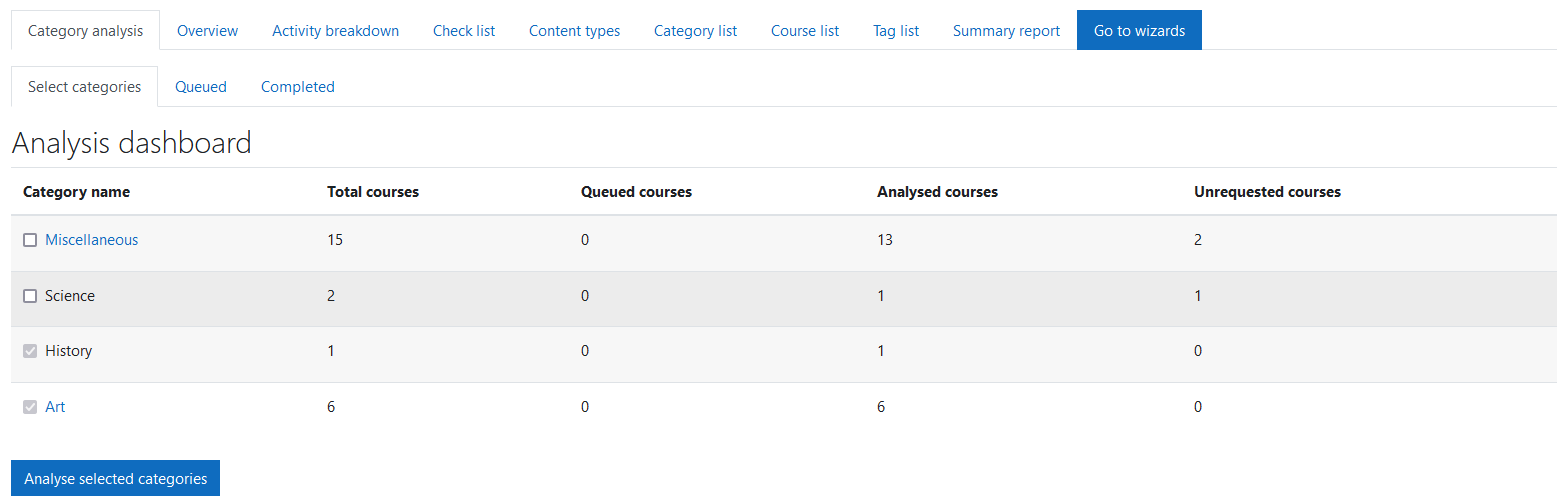
The Select categories tab displays the following for each category:
- Category name: checkbox to select category a for analysis and the category name which will be linked if it has subcategories.
- Total courses: total number of courses the category contains
- Queued courses: current number of courses that are in queue to be analysed.
- Analysed courses: total number of analysed courses within the category
- Unrequested courses: number of unrequested courses the category contains
The Queued tab
The Queued tab displays a list of the courses that have been requested for analysis.
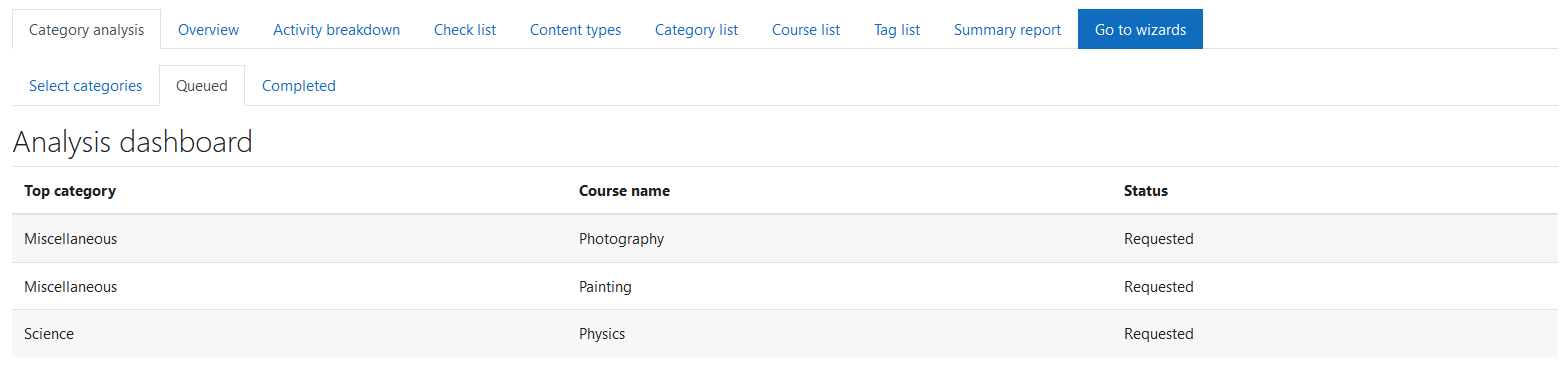
The Queued tab displays the following for each category:
- Top category: top-level category name.
- Course name: course short name.
- Status: requested
The Completed tab
The Completed tab displays a list of courses that have been analysed.
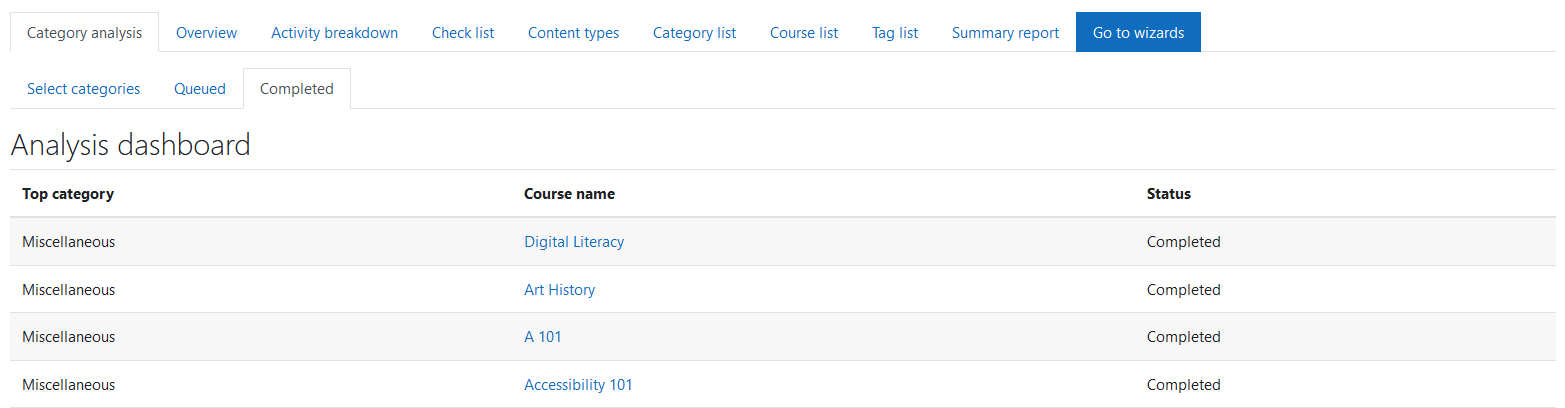
The Select categories tab displays the following for each category:
- Top category: top-level category name.
- Course name: course short name link.
- Status: completed.
Capability Requirements
Access to the Accessibility+ Toolkit is controlled by capabilities and users must have the correct capabilities in the correct context.
- ‘tool/bfplus:viewsystemtools’ capability – To view site level reports and wizards.
- ‘tool/bfplus:viewcoursetools’ capability – To view individual course reports and wizards.
- ‘accessibilityplustool/analysismanagement:view’ capability – To view this Category analysis report, users must have this and one of the capabilities mentioned above.
For more information, see: Capabilities.