
Accessibility Toolkit: Course list report
Table of Contents
Introduction
The Course list report displays courses and their summaries per content type.
It has three different views, as tabs:
- “Display amount” to display course activities failed per course.
- “Display error totals” to display course error totals per course.
- “Display percentage” to display course activities pass rate % per course.
Where to find the Course list report
The Course list report can be accessed via:
- From site administration: Site administration > Plugins > Admin tools > Accessibility+ > Go to reports > Course list
- From a course: Course actions menu > Brickfield Accessibility+ Toolkit > Course list
- From the course block: Accessibility+ Review block > View Accessibility+ report (Chart icon) > Go to reports > Course list
How to use the Course list report
The Course list report displays three views for the breakdown of courses.
The table displays a row for each course that contains eight parts:
- Course
- Total activities
- Image
- Layout
- Link
- Media
- Table
- Text
View the activities failed per course
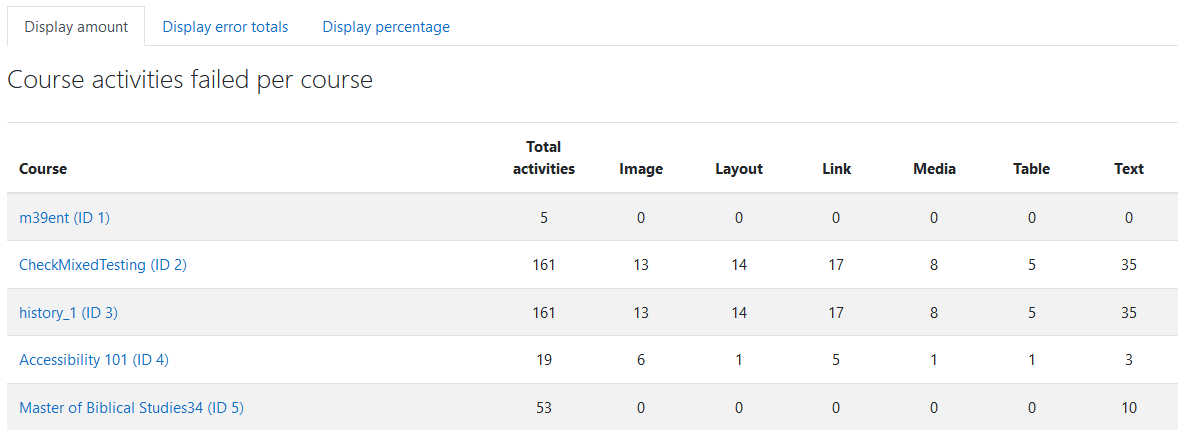
To view the activities failed per course:
- Ensure you are viewing the “Course list” report.
- Select the “Display amount” tab.
View the error totals per course
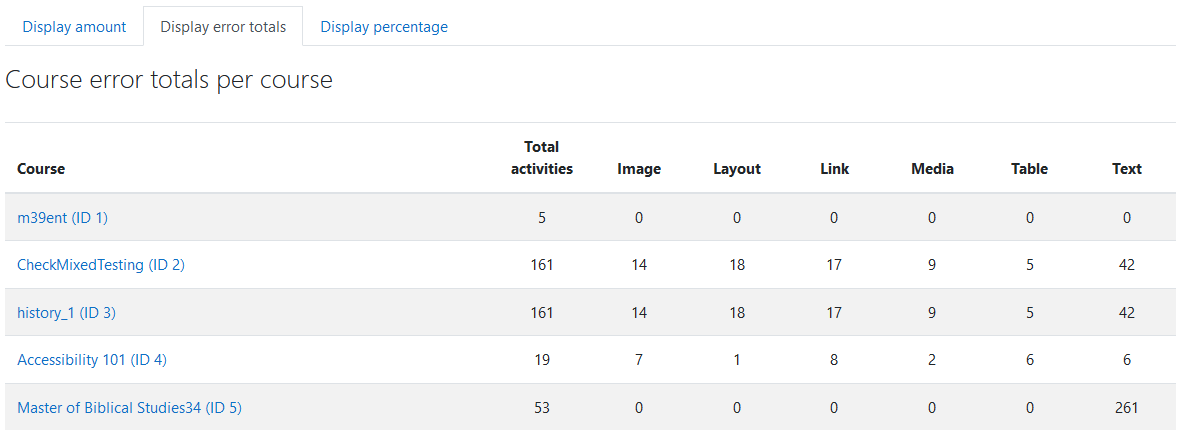
To view the error totals per course:
- Ensure you are viewing the “Course list” report.
- Select the “Display error totals” tab.
View the activities pass rate % per course
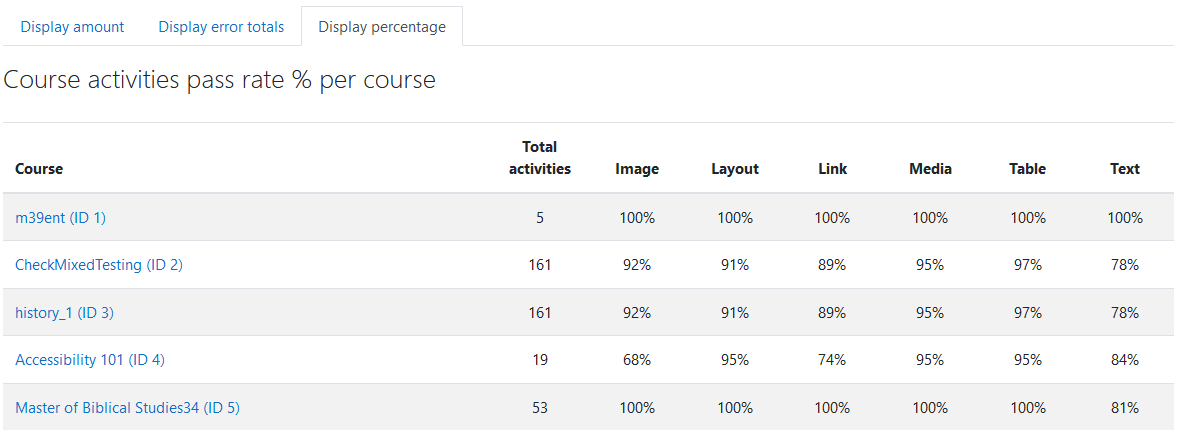
To view the activities pass rate % per course:
- Ensure you are viewing the “Course list” report.
- Select the “Display percentage” tab.
Capability Requirements
Access to the Brickfield Accessibility+ Toolkit is controlled by capabilities and users must have the correct capabilities in the correct context.
- ‘tool/bfplus:viewsystemtools’ capability – To view site level reports and wizards.
- ‘tool/bfplus:viewcoursetools’ capability – To view individual course reports and wizards.
- ‘accessibilityplustool/courses:view’ capability – To view this Course list report, users must have this and one of the capabilities mentioned above.
For more information, see: Capabilities.