Brickfield Enable: Health check
Table of Contents
Introduction
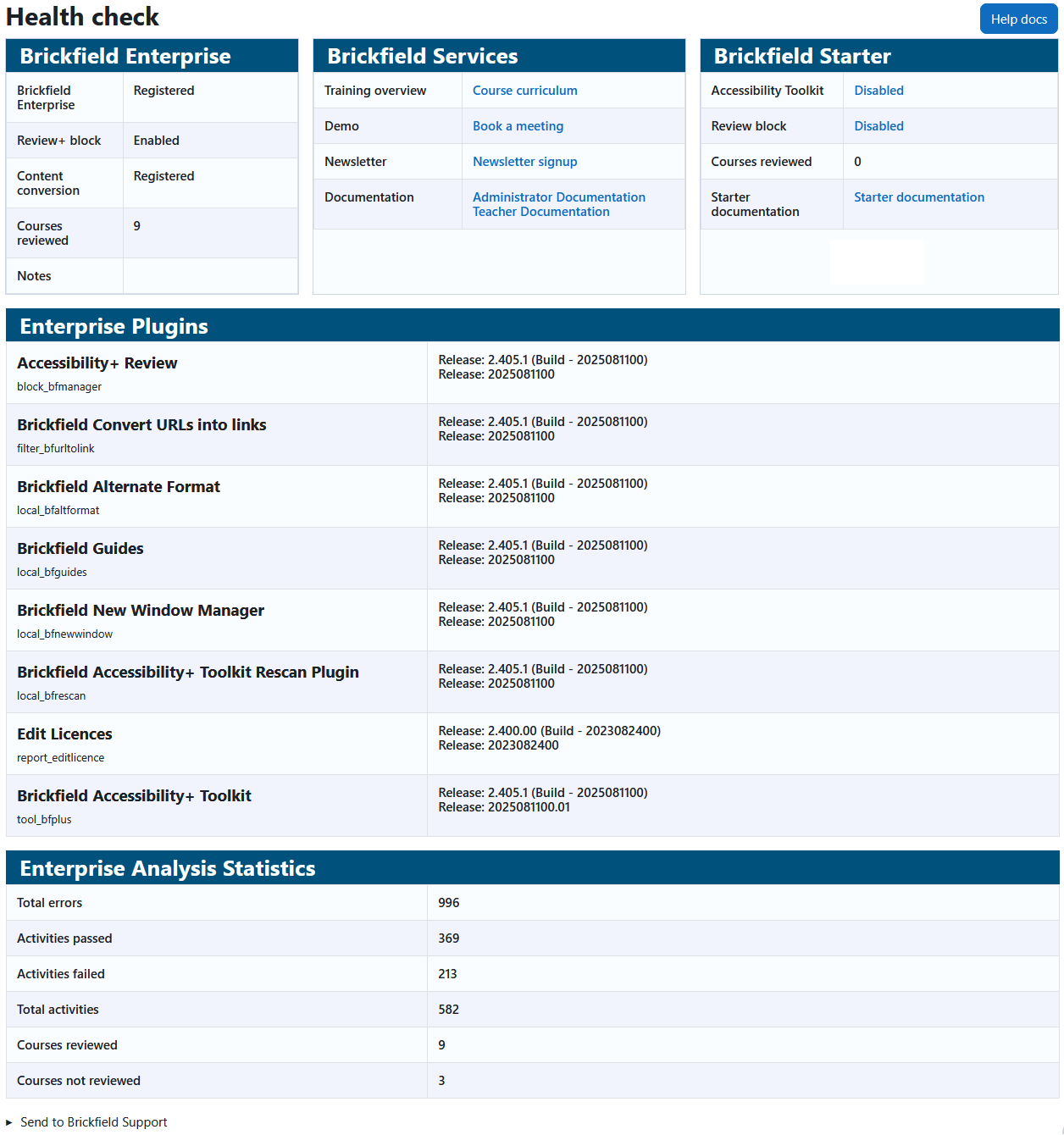
The Health check page provides an overview of the following:
- Brickfield Enterprise: Status of enterprise plugins, and total courses analysed.
- Brickfield Services: Links to training, demo, newsletter, and documentation resources.
- Brickfield Starter: Status of starter plugins, total courses analysed, and a link to starter documentation.
- Enterprise Plugins: The currently installed enterprise plugins with their version and build numbers.
- Enterprise Analysis Statistics: Total errors, activities passed, activities failed, total activities, courses reviewed, courses not reviewed.
In the instance where you are encountering an issue with the Brickfield plugins. At the bottom of the health check page is a link that will send all of this information to Brickfield support.
N.B.: In the top right of the Health check page is a “Help docs” button that will bring your directly to this documentation page.
Where to find the Health check page
The Summary report can be accessed via:
- From site administration: Site administration > Brickfield Enable > Accessibility administration > Health check