
Brickfield Enable: File size report
Table of Contents
Introduction
The File size report displays the additional file size space which is being generated by the requested file conversions across the Moodle site.
Where to find the File size report
The File size report can be accessed via:
- Site administration > Plugins > Local plugins > Report for Alternate Formats, and then click on the File size tab.
- Course actions menu > More > Reports > File Conversions, and then click on the File size tab.
How to use the File size report
The File size report displays three different charts for different breakdowns of this file space information:
- Space used for all converted files, per type.
- Space used for newly created files, per week.
- Space used for all converted files, accumulated over time.
View the space used for all converted files, per type (all time)
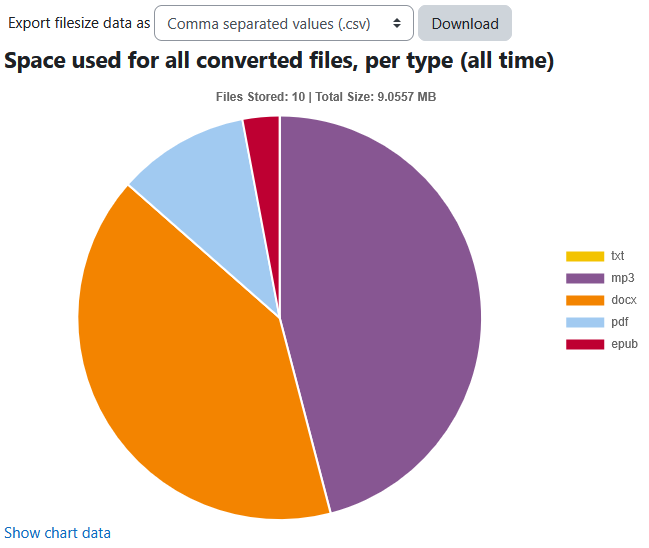
To view the space used for all converted files, per type (all time):
- Ensure you are viewing the “File size report”.
- View the space used for all converted files, per type (all time) chart.
View the space used for newly created files, per week
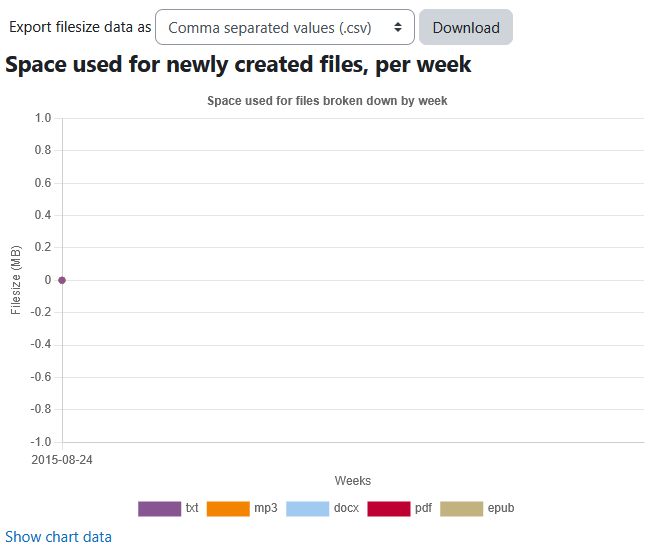
To view the space used for newly created files, per week:
- Ensure you are viewing the “File size report”.
- View the space used for newly created files, per week chart.
View the space used for all converted files, accumulated over time
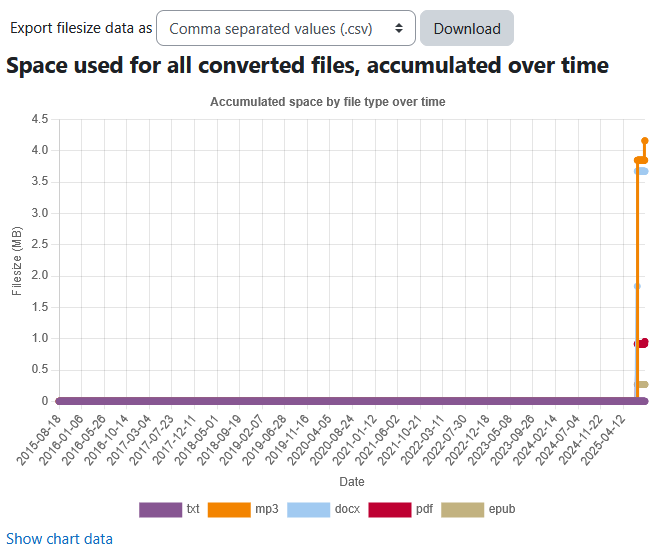
To view the space used for all converted files, accumulated over time:
- Ensure you are viewing the “File size report”.
- View the space used for all converted files, accumulated over time chart.
The available filters for the File size report
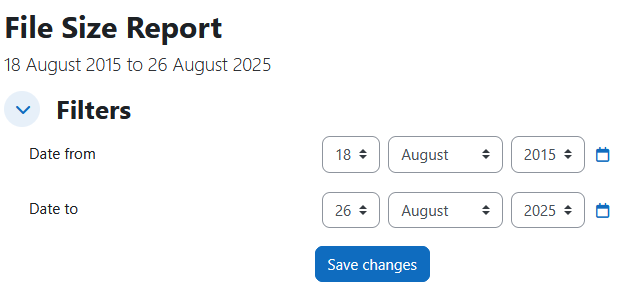
This File size reports table data is filterable by the following:
- Date from
- Date to
The available download options for the File size report charts
This File size reports chart data can be usually downloaded as the following, however this is dependent on your Moodle site’s admin settings as to which download options are enabled:
- Comma separated values (.csv)
- Microsoft Excel (.xlsx)
- HTML table
- Javascript Object Notation (.json)
- OpenDocument (.ods)
- Portable Document Format (.pdf)
Capability Requirements
Access to Brickfield Alternate Formats is controlled by capabilities, and users must have the correct capabilities in the correct context.
- ‘local/bfaltformat:viewsystemreport’ capability – View Brickfield Alternate Format Jobs System Report
- ‘local/bfaltformat:viewcoursereport’ capability – View Brickfield Alternate Format Jobs Course Report
For more information, see: Capabilities.