
Brickfield Enable: Self service page
Table of Contents
Introduction
The Self Service page provides all users with the ability to convert non-course specific files to an alternative accessible format. For this page to be accessible to users, a url must be provided for the Convert my file URL (local_bfaltformat | selfserviceurl) setting in the Brickfield Alternate Format settings.
Where to find the Self service page
The Self service conversion report can be accessed via: User actions menu > Profile > Reports > Convert my file
How to use the Self service page
The Self service page displays a frame which includes the area where a file is uploaded for generating an alternative format.
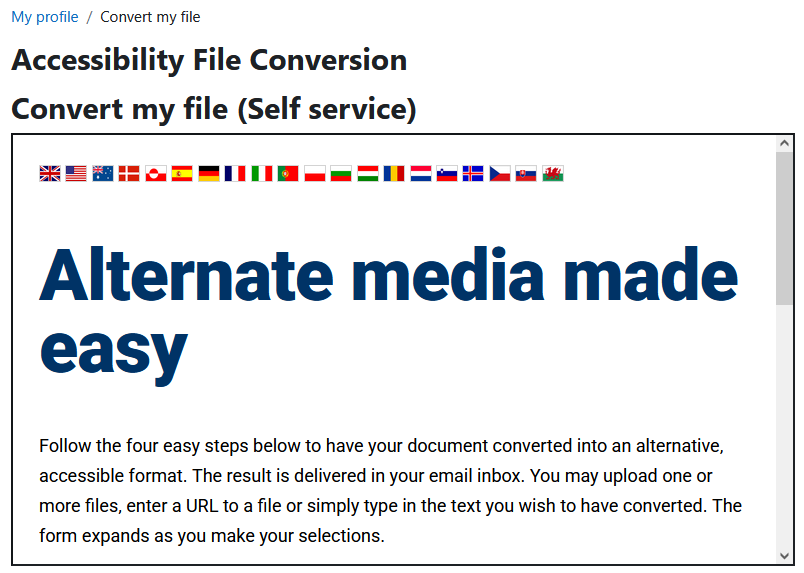
Convert a file with the Self service page
To convert a file with the self service page:
- Select a source.
- Upload your document.
- Select an output format.
- Specify audio options.
- Enter email address and submit a request.
Adding a Self service page link to the user menu
To add an optional Self service page link to the user menu, navigate to: Site administration > Appearance > Themes > Theme settings.
- Go to “User menu items | customusermenuitems” text field.
- On a new line, add: selfservice:user_nav,local_bfaltformat|/local/bfaltformat/selfservice.php.
- Click “Save changes”.
Capability Requirements
Access to Brickfield Alternate Formats is controlled by capabilities, and users must have the correct capabilities in the correct context.
- ‘local/bfaltformat:selfservice’ capability – View the self service page.
For more information, see: Capabilities.