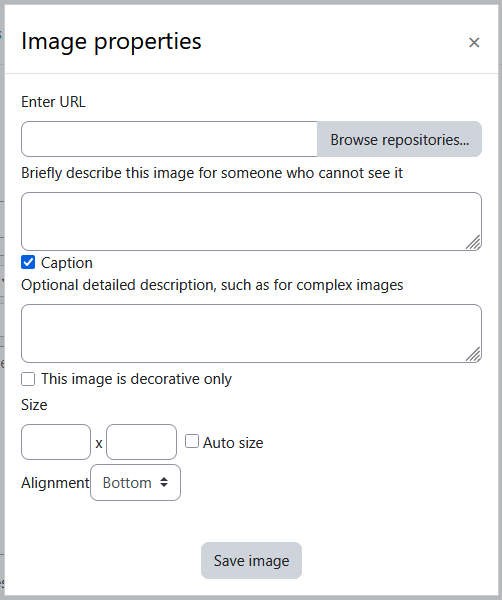
Brickfield Enable: Atto image (with long description)
Table of Contents
Introduction
The Brickfield Atto image editor plugin provides:
- Adding an image Caption – optional detailed description, such as for complex images
- This allows descriptions for images above the standard 125 alt character limit, which may be necessary for describing complex diagrams.
Enabling the Brickfield Atto image editor
The Brickfield Atto image editor (atto_bfimage module) will not show or operate unless added to the Atto Toolbar config. To enable the Brickfield Atto image editor, navigate to:
- Site administration > Plugins > Text editors > Atto HTML editor > Atto toolbar settings > Toolbar config
- Change “files = image” to “files = bfimage”
- Click “save changes”