Brickfield Enable: Alternate format configuration
Table of Contents
Introduction
This article is for the global configurations of the Brickfield Alternate Format enterprise component. For more information on other components, see: Components.
Global configurations for Brickfield Alternate Format
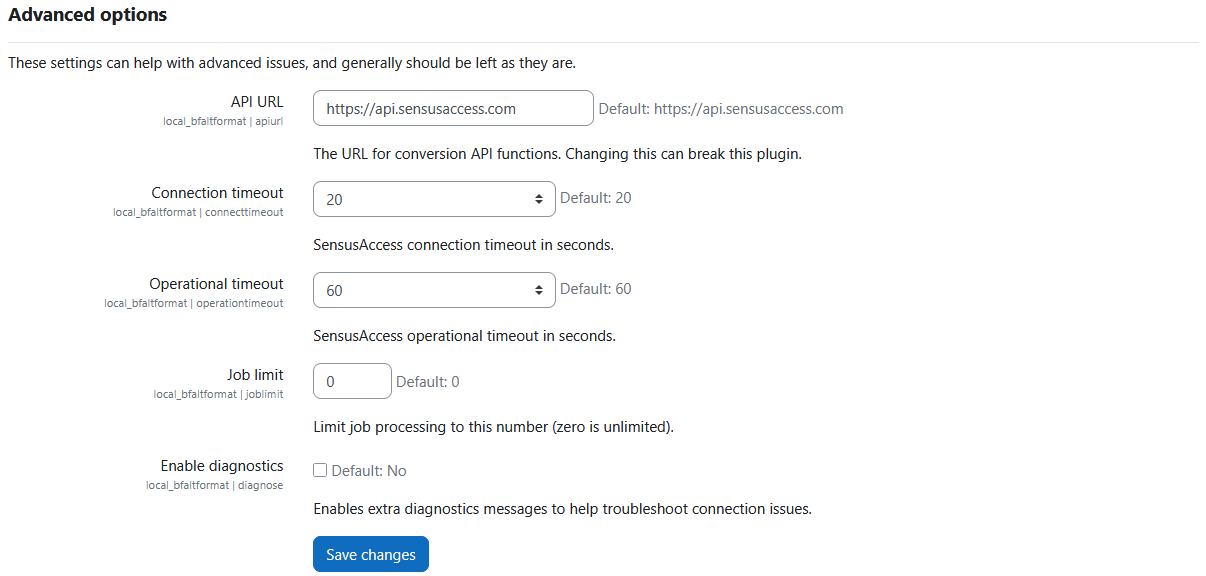
Initially, the most relevant setting, called Connection Details (local_bfaltformat | connectiondetails) is set to empty by default, which means that the file conversions will not be active yet.
To access the global configuration for the Brickfield Alternate Format plugin, navigate to:
- Site administration > Brickfield Enable > Plugins > Brickfield Alternate Format > Alternate format settings
The global configurations for Brickfield Alternate Format are as follows:
- Connection Details – if supplied, allows access to file conversions:
- The sensusAccess User ID.
- The sensusAccess API key.
- Restrict licence – Prevent file conversions on files using the selected licence:
- No licence restrictions.
- Licence not specified.
- All rights reserved
- Public domain
- Creative Commons
- Creative Commons – NoDerivs
- Creative Commons – No Commercial NoDerivs
- Creative Commons – No Commercial
- Creative Commons – No Commercial ShareAlike
- Creative Commons – ShareAlike
- Report Page Size: number of rows to display in the report tables.
- Send error notification by capability: sends error notifications to all users that have the ‘local-bfaltformat:recieveerrornotification’ capability.
- Please note that this capability is not granted by default to any users, even administrators.
- For more information, see: Capabilities
- External failure notification emails: a list of emails (one per line) to send failure notifications for conversions to.
Convert my file settings
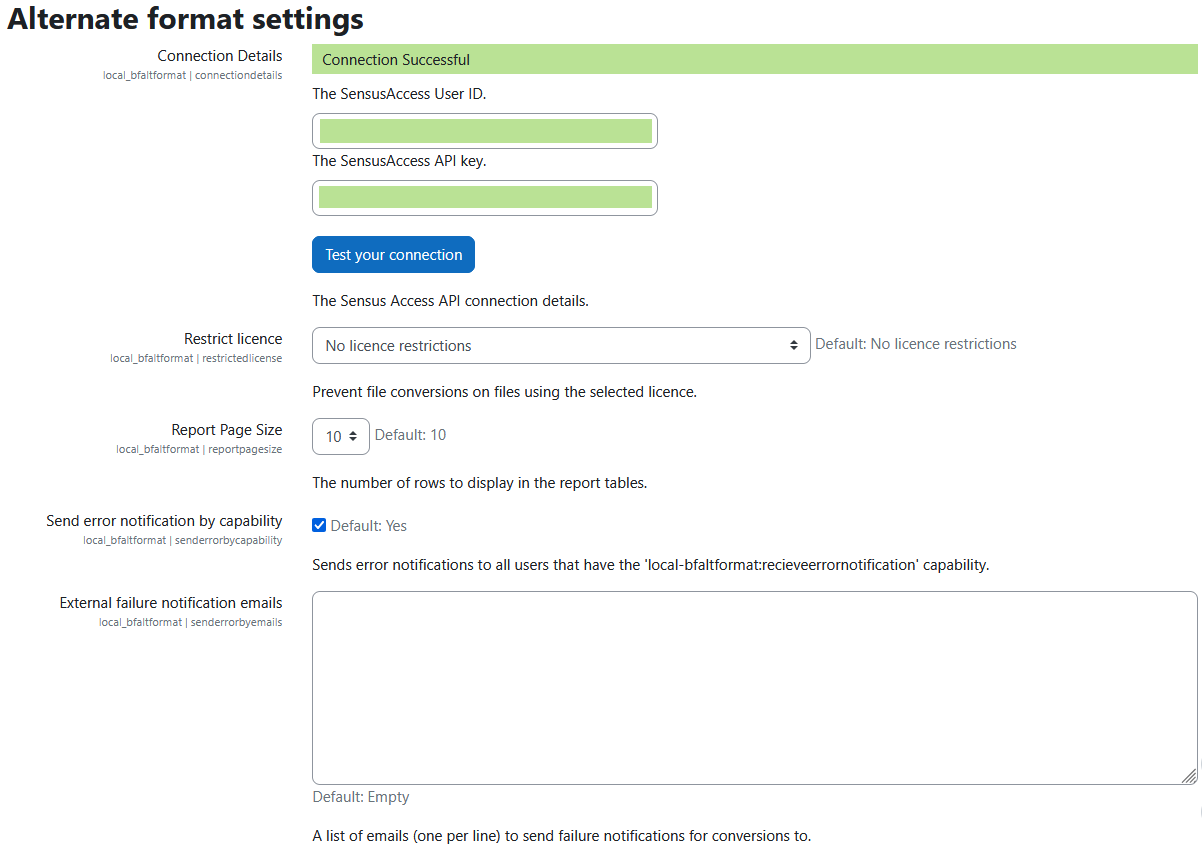
It is recommended to populate the “Convert my file URL”, to allow users to convert their own files into an alternative accessible format through the self service page.
To access the global configuration for the Brickfield Alternate Format plugin, navigate to:
- Site administration > Brickfield Enable > Plugins > Brickfield Alternate Format > Alternate format settings
The Convert my file settings for Brickfield Alternate Format are as follows:
- Convert my file URL: source URL to use in the convert my file iframe.
- Convert my file page description: convert my file HTML description.
Advanced options
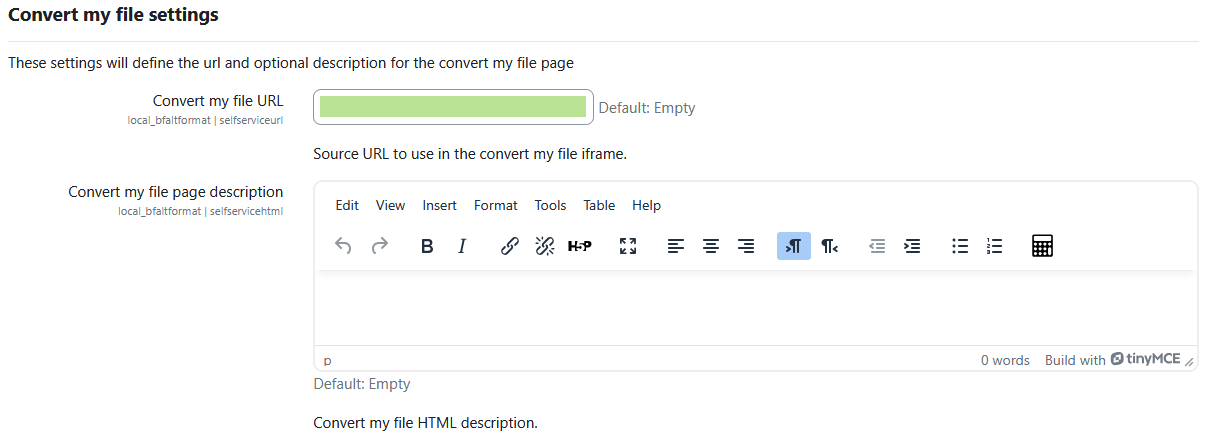
The following settings can help with advanced issues, and generally should be left as they are.
To access the global configuration for the Brickfield Alternate Format plugin, navigate to:
- Site administration > Brickfield Enable > Plugins > Brickfield Alternate Format > Alternate format settings
The Advanced options for Brickfield Alternate Format are as follows:
- API URL: the URL for conversion API functions.
- Connection timeout: SensusAccess connection timeout in seconds.
- Operational timeout: SensusAccess operational timeout in seconds.
- Job limit: limit job processing to this number (zero is unlimited).
- Enable diagnostics: either disabled, or enabled for troubleshooting connection issues.