
Brickfield Enable: Link to new window popup
Table of Contents
Introduction
The Link to new window popup (local_bfnewwindow module) is different to the rest, as it will be active by default, but can be disabled in its global settings if required.
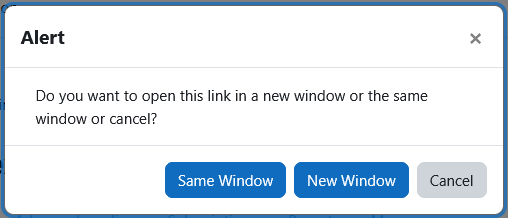
A popup will appear for links that redirect to a new window, the popup will allow the user to select if they would rather continue to the new window or open in the current window.
Configuring Brickfield New Window Manager
The Link to new window popup can be disabled and can be enabled at:
- Site administration > Brickfield Enable > Plugins > Brickfield New Window Manager
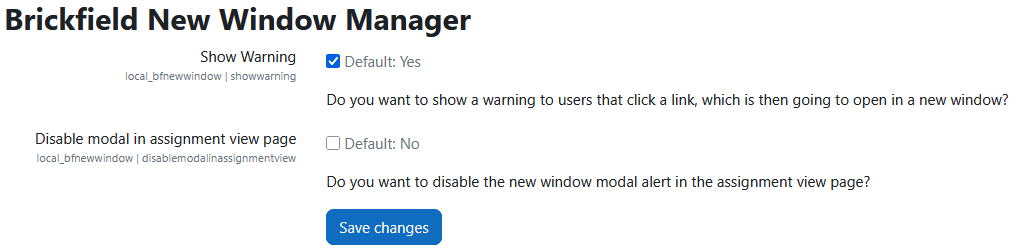
The global configurations are as follows:
- Show Warning: show a warning to users that click a link, which is then going to open a new window.
- Disable modal in assignment view page: disable the new window modal alert in the assignment view page.