Brickfield Enable: Alternate format deployment
Table of Contents
Installation
Brickfield will provide the code for the Brickfield Alternate Format plugin in the form of either a GitHub repository or a full zip of all the plugins needed. The Brickfield Alternate Formats plugin requires the Brickfield Accessibility+ Toolkit (tool_bfplus) to be installed and activated as it is a dependency.
For more information, see:
- Brickfield Accessibility+ Toolkit Deployment – Setting up the Brickfield Accessibility+ Toolkit.
- Portal registration – Registering your site.
- Toolkit registration – Activating the Toolkit.
Activating Alternate format
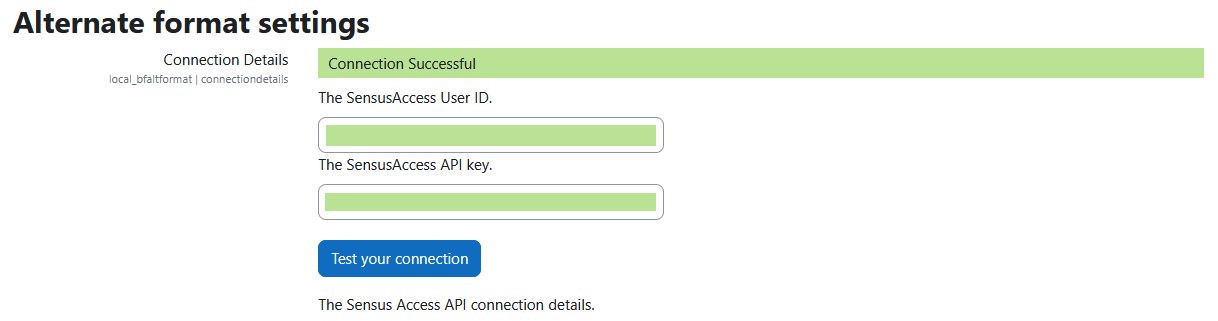
This enterprise component can be installed using all the default global settings safely, although they will need to be updated with the correct API keys to integrate with the SensusAccess file conversion platform. Once you have received your SensusAccess API keys, you need to add them to the File conversion plugin as follows:
- Contact your Brickfield support through “Submit a request” at the top-right corner of this site, so we can review your site details and provide you with your SensusAccess keys.
- On your Moodle site, go to the File conversion settings page, at Site administration > Brickfield Enable > Plugins > Brickfield Alternate Format > Alternate format settings.
- Enter your API key and User ID key values.
- Click on the Save changes button.